The RAM figure does not tell the whole story
When comparing laptops, it is tempting to reduce memory to a single number: 8, 16, or 32 GB. That amount describes what a particular configuration includes, but it is not enough to tell you whether it can be changed later. Memory may be soldered to the motherboard, installed in removable modules, or split between onboard memory and a slot. Those differences affect the options available after purchase and are sometimes hidden in a brief product description.
It is important to distinguish RAM from storage. ASUS recommends checking the model’s specifications and looking separately at its memory and storage sections to see what an upgrade might support. Before comparing figures, identify which of the two components each one refers to. A number listed under storage does not answer a question about RAM, and a total memory figure does not, by itself, explain how that memory is installed.
The possibility of upgrading RAM is useful information when assessing which options remain open, but it does not, by itself, predict future performance, lifespan, or total cost. Nor is the word “upgradeable” enough: you need to find out which part can be upgraded, with what configuration, and up to what stated limit. This guide limits its conclusions to what can be checked in documentation; it does not present physical inspection results or savings calculations.
Soldered, modular, or hybrid
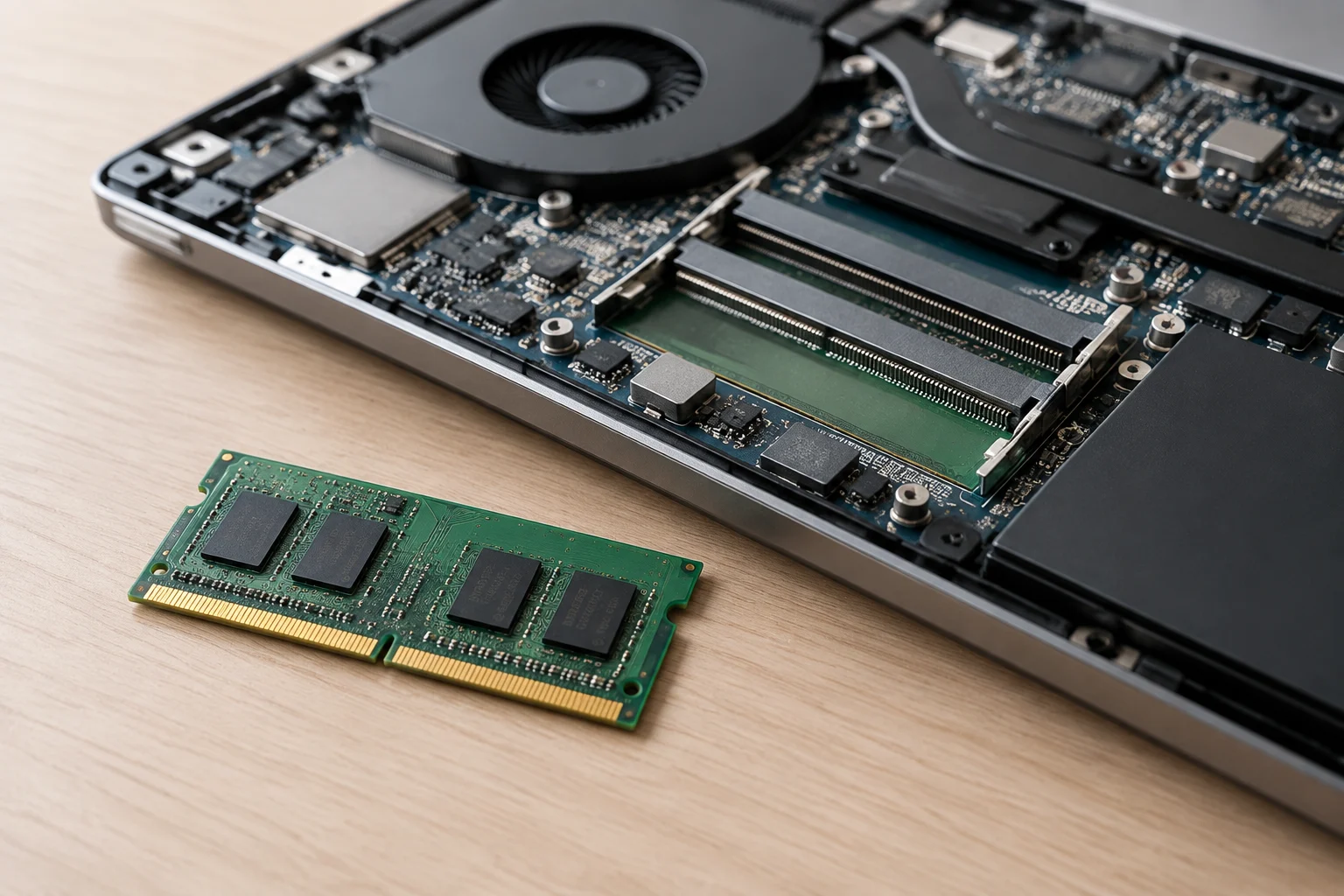
When a specification says memory is “onboard” or soldered, it indicates that this part is not presented as a removable module. SO-DIMM is the type of module ASUS identifies in its specifications for certain configurations. However, finding a slot for that type of memory does not, on its own, prove that the slot is empty, that any module will be compatible, or that the system supports a particular capacity. Answering those questions requires the exact model’s specifications and, where applicable, its service documentation.
Some computers combine onboard memory with modules. ASUS’s support guide gives as an example a configuration with 8 GB of non-replaceable onboard memory and one SO-DIMM slot that can be upgraded with up to 8 GB, for a 16 GB maximum. This illustrates that integrated memory and upgrade options can coexist; it is not a rule that applies to every laptop from the brand or to every computer with a similar product name. The exact reference matters more than the family name.
You also need to distinguish the capacity installed at the factory from the maximum supported capacity. A specification sheet may list different configurations for sale without stating in one place which modules a particular unit contains or whether a slot is occupied. Do not calculate a maximum by adding figures from different pages, or infer that a configuration is possible because another laptop looks similar. If the documentation does not confirm the combination, it should remain unverified.
Find the right documentation
Start by writing down the computer’s full name and, if it appears in the offer, its model number or product reference. The goal is to connect the configuration you are considering to the relevant documentation, not to a generic page for a product family. ASUS warns that the name shown on the box may be the marketing name rather than the full model name. So do not assume that a partial reference identifies the exact variant.
Look for the technical specifications on the manufacturer’s official website. For ASUS, its support guide explains how to search for a model, open its product page, and consult Tech Specs. It also says the specification sheet can be used to check whether the hardware supports upgrades and what maximum is specified. If the document gives only a total figure, do not infer from it whether the RAM is soldered or replaceable.
If upgrading is an important requirement, cross-check the specification sheet against the service documentation available for that reference. The specification sheet alone may not answer every question about a particular unit. This distinction is essential: a URL or heading identifies a source, but does not replace the specific fact that needs to be verified. Do not turn missing information into an implied specification.
Compare information without mixing up models
To make the comparison clear, record the factory-installed capacity, the soldered portion, the number of slots, whether any slot is occupied, and the official maximum separately. Include the memory type and any configuration conditions published by the manufacturer. If one of these fields does not appear in the documentation you reviewed, mark it as “not confirmed.” This makes it clear which items are specifications and which questions are still open.
The official specification sheet for the 11th-generation Vivobook 15 K513 lists 8 GB DDR4 onboard, 8 GB DDR4 SO-DIMM, and a total maximum of 16 GB. These are specifications for that exact reference. They do not justify inferring that every laptop called Vivobook 15 shares the same memory, slots, or limits. Check the generation and full product code before transferring any figure to a comparison table.
ASUS’s general guide uses a different configuration as an example: 8 GB integrated, one SO-DIMM slot upgradeable with up to 8 GB, and 16 GB maximum memory. That example helps explain how to check a particular configuration, but does not set a universal maximum for its laptops. If a retailer gives a figure that differs from the official documentation, do not automatically choose the more convenient number. Keep the discrepancy and ask for confirmation tied to the exact reference.
What an upgrade option lets you claim
A documented slot may leave open the option to replace or add a module, but it does not confirm that any module will work. Compatibility, supported capacities, and replacement instructions depend on the computer. ASUS’s guide points to the model specifications to check whether an upgrade is supported and what its limit is; if that information is unavailable, ask the manufacturer or an authorized service provider for confirmation.
If all the RAM is soldered and no replaceable modules are documented, you cannot count on upgrading by replacing modules. In that case, the initial capacity deserves particular attention if you expect to keep the laptop. But this limitation does not prove that every repair is impossible, that the computer will have a shorter life, or that an upgradeable configuration will always be cheaper. Such conclusions would require additional information about the model, available service, prices, and intended use.
Independent reviews may offer teardown observations, but these should be treated as evidence distinct from the official specification sheet and linked to an identifiable unit. The research available here does not include documented teardowns of the models used as examples or comparable data on module prices. For that reason, no physical findings are attributed to those computers and no future cost is quantified. Documented upgradability is a feature; potential savings are not demonstrated without specific prices and conditions.
Final checks before you buy
Before paying, confirm the laptop’s product code and save the link to the official specification sheet. Check the installed RAM, which part is listed as integrated, how many slots there are, whether any are reported as occupied, and the maximum supported capacity. Also verify the module type and any conditions the manufacturer associates with the configuration. If an important answer is missing, do not fill it in using specifications for another computer in the same family.
Compare options using equivalent information: initial capacity, the price of the configuration on offer, and the upgrade headroom stated in applicable documentation. Do not assume that upgrading later will cost less than buying more memory at the outset, or that every market offers the same variants. The evidence consulted does not provide current laptop or module prices, nor observations from retailers; therefore, it cannot be used to calculate a future cost in numerical terms.
Your decision will depend on how much you value having enough capacity from day one versus keeping an upgrade option open. A hybrid configuration may offer both, but only the documentation for the exact variant can establish which combination it supports. The practical rule is simple: choose based on the confirmed specifications of the model and the configuration you are buying, not on the family name or implied upgrade promises. If you cannot verify a decisive detail, ask the manufacturer or retailer to confirm it in writing before treating it as fact.