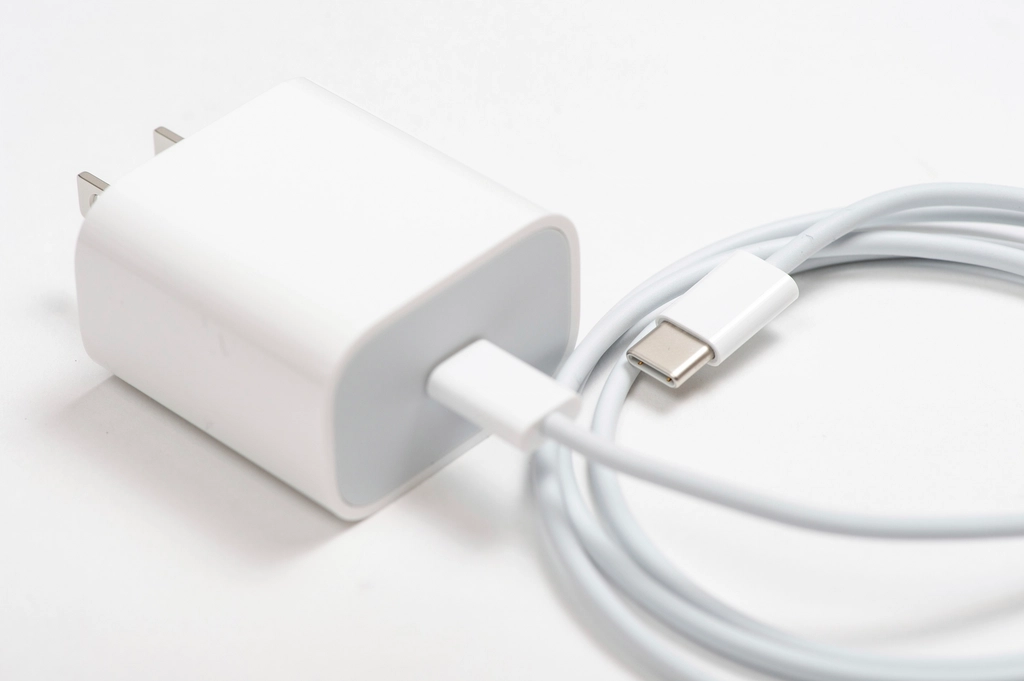
The connector does not tell the whole story
USB-C identifies a reversible connector type, but seeing that shape on two devices does not mean they will charge at the same power or transfer data at the same speed. The final result depends on the capabilities of the phone, charger and cable, and on whether all three are compatible with one another. That is why phrases such as “fast charging” or “high speed” are not enough to establish the performance you will get with a particular phone. The physical connection is only one part of the arrangement; the specifications behind it determine what the devices can do together.
The useful distinction when shopping is between connector shape and capabilities. A cable may have USB-C at both ends and work for charging, but it does not necessarily provide the data speed you want. Likewise, a charger with a high wattage rating cannot make a phone accept that power: the phone and adapter need to support a mode they have in common. An accessory label describes, at most, one part of the combination. To judge the whole setup, compare the claims for each component rather than treating the connector or one headline figure as a complete compatibility guarantee.
Start with the phone’s documentation
Look up the specifications or support page for the exact model, not just the product family. Check what type of port it has, what transfer speeds it lists and what requirements the manufacturer gives for fast charging. If the manufacturer states a maximum power level or recommends a particular protocol, use that information as a practical limit: buying a more powerful adapter does not turn the phone into a device capable of receiving all of that power. The model-specific information is therefore a better starting point than a charger’s maximum rating or a general description of USB-C.
It is also worth checking whether the documentation treats charging, data and video output separately. These are different functions, even when they use the same connector. Apple’s support page about USB-C on iPhone, for example, discusses the port’s capabilities in relation to compatible devices; it is not a universal guarantee that applies to every phone with USB-C. The decisive reference is the documentation for the model you own, because capabilities vary between devices and generations. If a feature matters to you, look for it explicitly rather than assuming that the connector means the feature is available.
Power, protocol and negotiation
Power is normally expressed in watts (W), but comparing that number alone can lead to the wrong purchase. For a phone to use a charging mode, the phone and charger must both support it; the cable must also be suitable for that combination. USB Power Delivery (USB PD) is a power specification documented by USB-IF. Seeing it mentioned on a charger is relevant, but does not by itself prove that the charger offers the particular profile required by every phone. The advertised maximum is not a substitute for checking the specific requirements of the device you intend to charge.
Consult the phone and adapter specifications to identify the protocol and stated conditions. If the manufacturer specifies a combination of power and protocol, compare it with the charger’s label or product sheet. Do not infer charging speed from the advertised maximum wattage alone: actual charging can depend on compatibility and the device’s state. Nor should you confuse the charger’s rated power with the power the phone will receive throughout the entire charging process. The figures help describe the available equipment, but the phone’s own documentation and the shared capabilities of the components determine what is appropriate to expect.
The cable can also limit the combination
A cable is not a neutral part of the setup. It can have USB-C connectors and still fail to match the data-transfer or power capabilities you need. Before buying, look for verifiable information about its data speed and supported power, then compare that information with the requirements declared by the phone and charger manufacturers. If the product sheet says only “USB-C” or “fast charging” without specifying performance, that description is not enough to confirm the result you should expect. The cable needs to be considered as its own component, not just as a physical link between two devices.
Also check that both ends match the ports available to you. A USB-C-to-USB-C cable does not necessarily replace a USB-C-to-Lightning cable, for example: these are different connector types used with different devices. Apple’s documentation for its USB-C-to-Lightning cable illustrates that an accessory’s name identifies a particular connector combination, not a generic promise of compatibility with every phone. If you need a cable for data, confirm its declared speed explicitly; do not infer it from how the connector looks. The same general principle applies when checking power: verify the cable’s stated capabilities rather than assuming all USB-C cables perform alike.
Labels and certifications: what can they prove?
Marketing terms—“turbo,” “ultra-fast” or “premium”—do not replace technical information. Prioritize a product sheet that specifies the connection type, supported power and, when relevant, transfer speed. For USB Power Delivery, consult USB-IF documentation and the accessory manufacturer’s official information. USB-IF also provides a product search tool; checking a relevant listing can provide more information than a label that gives no details. A searchable entry is useful only insofar as it can be matched to the item being considered and its relevant specifications.
A certification or database entry does not answer every question on its own: confirm that it refers to the exact product and model, and that its capabilities cover your intended use. Do not assume that every “certified” claim refers to USB-IF; check who issued it and what it means. A specific, traceable specification is more useful than an ambiguous claim, but it still needs to be compared with the phone’s requirements. Treat labels as starting points for verification, not as a substitute for checking how the accessory fits into the complete phone, charger and cable combination.
A practical check before paying
A considered purchase does not require assuming that the most expensive accessories are always better. Gather the specifications for the phone, charger and cable, then review the points that affect the use you care about. If you only need to charge, do not automatically pay for a data speed you will not use. If you also connect the phone to a computer or display, check separately that the port and cable support those functions. Separating the intended use from the specifications makes it easier to avoid paying for a feature you do not need while still checking the ones that matter.
Before completing the purchase, verify: the exact phone model; the supported charging protocol; the charger’s stated power and profiles; the cable’s charging and data capabilities; and the connector type at both ends. If an essential specification is missing, there is not enough basis to assure full compatibility. The conclusion is straightforward: USB-C makes the physical connection easier, but it does not make all accessories identical or guarantee fast charging or rapid data transfer by itself. This guide explains general criteria; it does not attribute capabilities to specific models that have not been identified and documented.