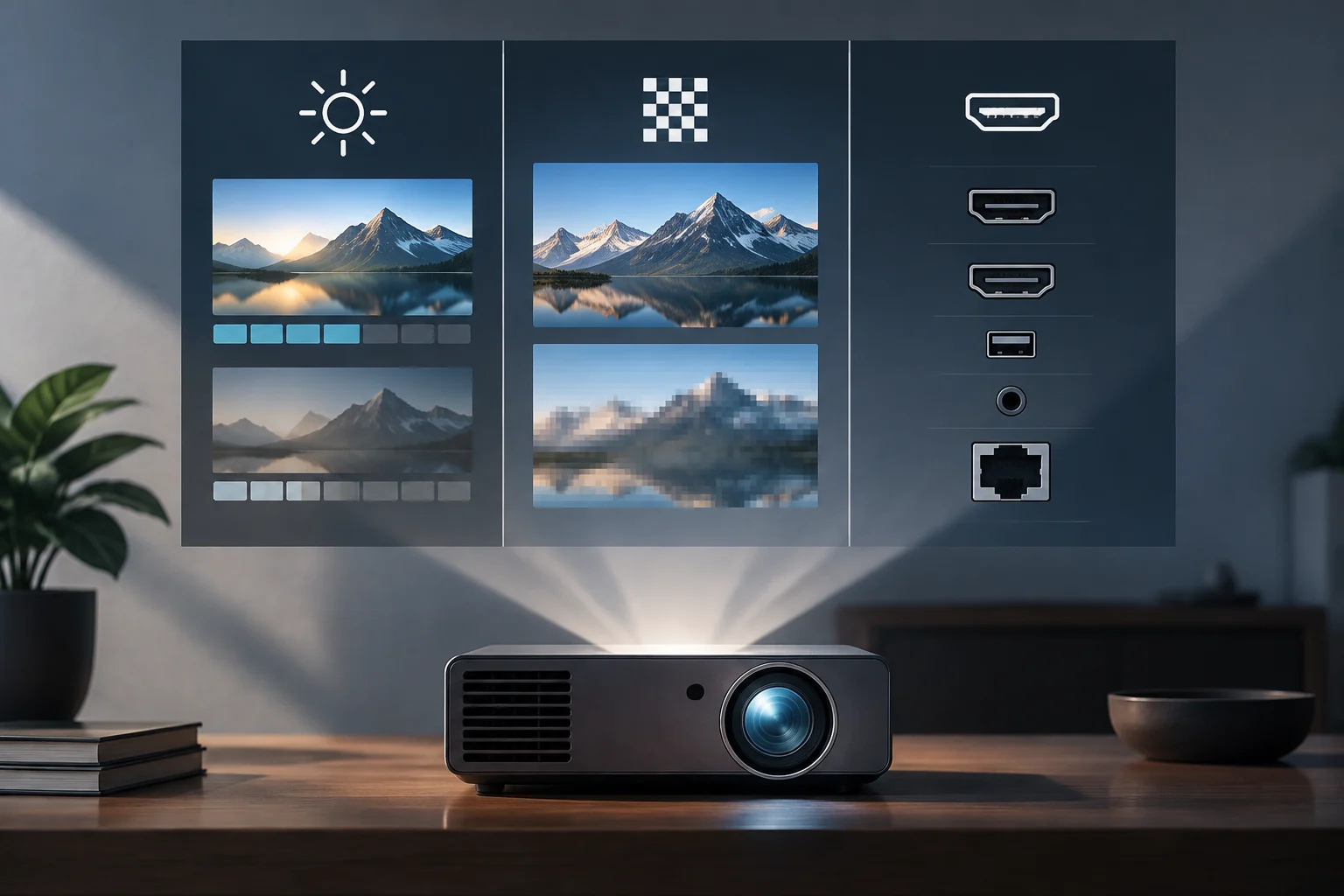
The Gap Between Marketing and Verifiable Specifications
When comparing projectors, it is common to encounter striking figures such as "150-inch projection" or "4K" that do not always reflect the actual image quality. The difference between a commercial specification and a standardized technical metric can determine whether the equipment meets expectations under real usage conditions. The manufacturer's official technical sheet is the only reliable source for evaluating performance, as third-party listings often simplify or exaggerate the device's capabilities. This distinction is fundamental because marketing language prioritizes the perception of value over technical accuracy, creating an initial barrier for the informed consumer.
A clear example of this disparity is observed in the current market: while a projector like the Edna Orion advertises 6000 lumens and 150-inch projection, the Epson PowerLite X49 focuses on classroom specifications with XGA resolution. Without a clear verification methodology, the buyer cannot determine if the declared brightness is comparable across brands or if the resolution is native or scaled. This guide establishes objective criteria to close that gap, providing a reference framework that allows isolating technical data from promotional claims.
ANSI Lumens vs. LED Lumens: The Correct Unit of Measurement
The term "lumens" alone is ambiguous. ANSI lumens follow a measurement protocol standardized by the American National Standards Institute, which measures brightness at the center of the image with a specific gray pattern. This method controls environmental and configuration variables to offer a reproducible data point. In contrast, "LED lumens" or "source lumens" usually measure the maximum brightness of the lamp or diode without considering the optical losses of the system, generating inflated figures that do not translate into a brighter image on the wall.
To verify this specification, explicitly look for the "ANSI Lumens" label in the technical sheet. If the manufacturer only indicates "lumens" without specifying the standard, assume it is a non-standardized measurement. For example, the Epson LifeStudio Pop EF-61 declares 700 ANSI lumens, a conservative but verifiable figure, while other entry-level models may declare thousands of lumens without ANSI certification, making direct comparison difficult. The absence of this label is a warning sign that prevents objectively evaluating the device's lighting capacity.
Native vs. Scaled Resolution: Verifying the Real Matrix
Native resolution indicates the physical number of pixels in the projector panel (LCD, DLP, or LCoS). A "scaled" or "enhanced" resolution means that the panel has fewer pixels and an algorithm interpolates the image to simulate higher definition. Native resolution is the determining factor for real sharpness, especially in text and graphics, while scaling can work well for video but loses detail in static content. Understanding this difference is key to anticipating the equipment's performance in specific tasks.
In the technical sheet, look for the "Native Resolution" section. For example, the Epson PowerLite L570U is described as "with 4K enhancement," indicating that its native panel is lower than 3840x2160 and uses image processing to approach that resolution. A native 4K projector, in contrast, will clearly specify 3840x2160 as the panel resolution. This distinction is critical for users who project presentations or games where fine detail is essential, as interpolation cannot create information that does not exist in the original sensor.
HDMI Connectivity: 2.0 vs. 2.1 and Their Real Implications
The HDMI standard determines the available bandwidth for transmitting video and audio. HDMI 2.0, launched in 2013, supports 18 Gbps of bandwidth, sufficient for 4K at 60 Hz with HDR10 and HLG, but does not include support for VRR (Variable Refresh Rate) or full eARC. HDMI 2.1, introduced in 2017, raises the bandwidth to 48 Gbps, enabling 4K at 120 Hz, VRR, ALLM (Auto Low Latency Mode), and eARC with multichannel Dolby Atmos. These technical differences directly impact the user experience depending on the type of content consumed.
For home cinema users, HDMI 2.0 is generally sufficient for 60 Hz content. However, for gaming with next-generation consoles or high-performance PCs, HDMI 2.1 becomes relevant to take advantage of high refresh rates and reduce tearing. Verify in the technical sheet if the port is labeled as "HDMI 2.1" or "HDMI 2.0b". Some mid-range projectors, like the ViewSonic PA503W, include standard HDMI without specifying the version, which limits compatibility with high-frequency sources and may require adapters or additional configurations.
Quick Verification Checklist to Compare Projectors
Before buying, apply these objective criteria using only the manufacturer's official technical sheet:
- Brightness: Is "ANSI Lumens" specified? If not, discard the figure as non-comparable.
- Resolution: Is "Native Resolution" indicated? If it only says "4K" or "Full HD" without clarification, look for the panel specification.
- Connectivity: Is the HDMI version (2.0 or 2.1) specified? Verify if it includes eARC or ARC.
- Aspect Ratio: Is it 16:9, 4:3, or another? Ensure it matches the content you will project.
- Projection Size: Is the range in inches indicated for a specific distance? Avoid maximum figures without distance context.
This approach eliminates the dependence on subjective reviews and allows comparing models from different brands on equal terms. Transparency in specifications varies among manufacturers; some, like Epson, clearly detail native resolution and ANSI lumens, while others in the entry-level range may omit these distinctions. Documenting these differences in a personal comparative table before purchase significantly reduces the risk of acquiring equipment that does not meet real visualization needs, ensuring an investment aligned with the intended use.