What is DNS, and what problem does it solve?
The Domain Name System, or DNS, lets you look up information associated with names such as example.com. In everyday web use, its most visible function is to help find IP addresses linked to the name requested by an application. This lets people use readable names instead of having to memorize numeric addresses. DNS does not itself carry the web page or guarantee that a site will respond: it helps locate the destination.
It is useful to think of DNS as a distributed lookup system, not as a single directory containing every answer. The specification describes names organized hierarchically and servers that can provide information about different parts of the name space. A response may include an address, indicate that the requested record does not exist, or direct the client to another server. Resolving a name is a step before connecting to the service, not proof that the connection or website works.
This explanation focuses on the common case of opening a site by name. Services may require other DNS data, and a browser may also use stored information or its own mechanisms. For that reason, the result of a single query does not necessarily describe everything happening on every device.
What steps does a query follow when you open a website?
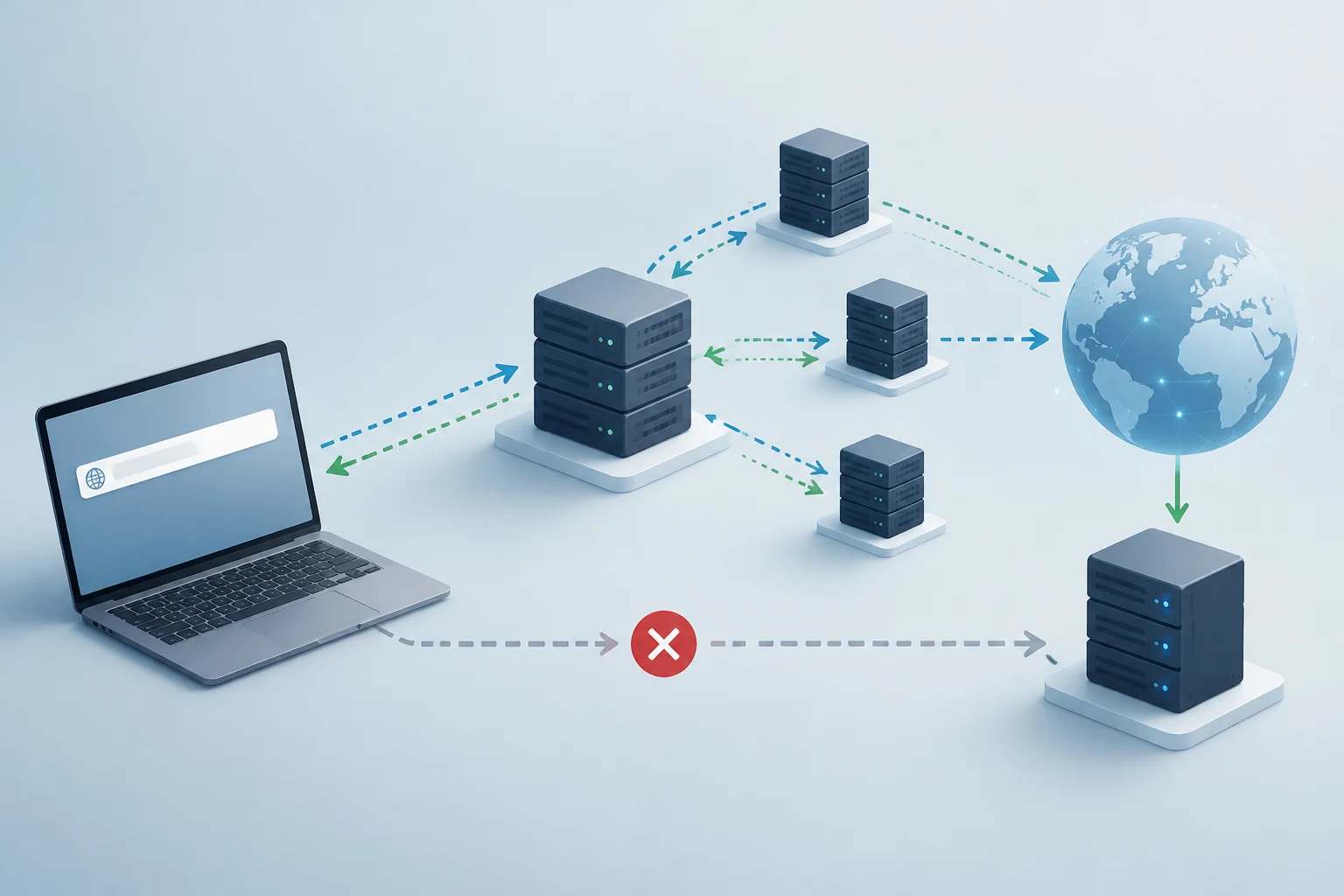
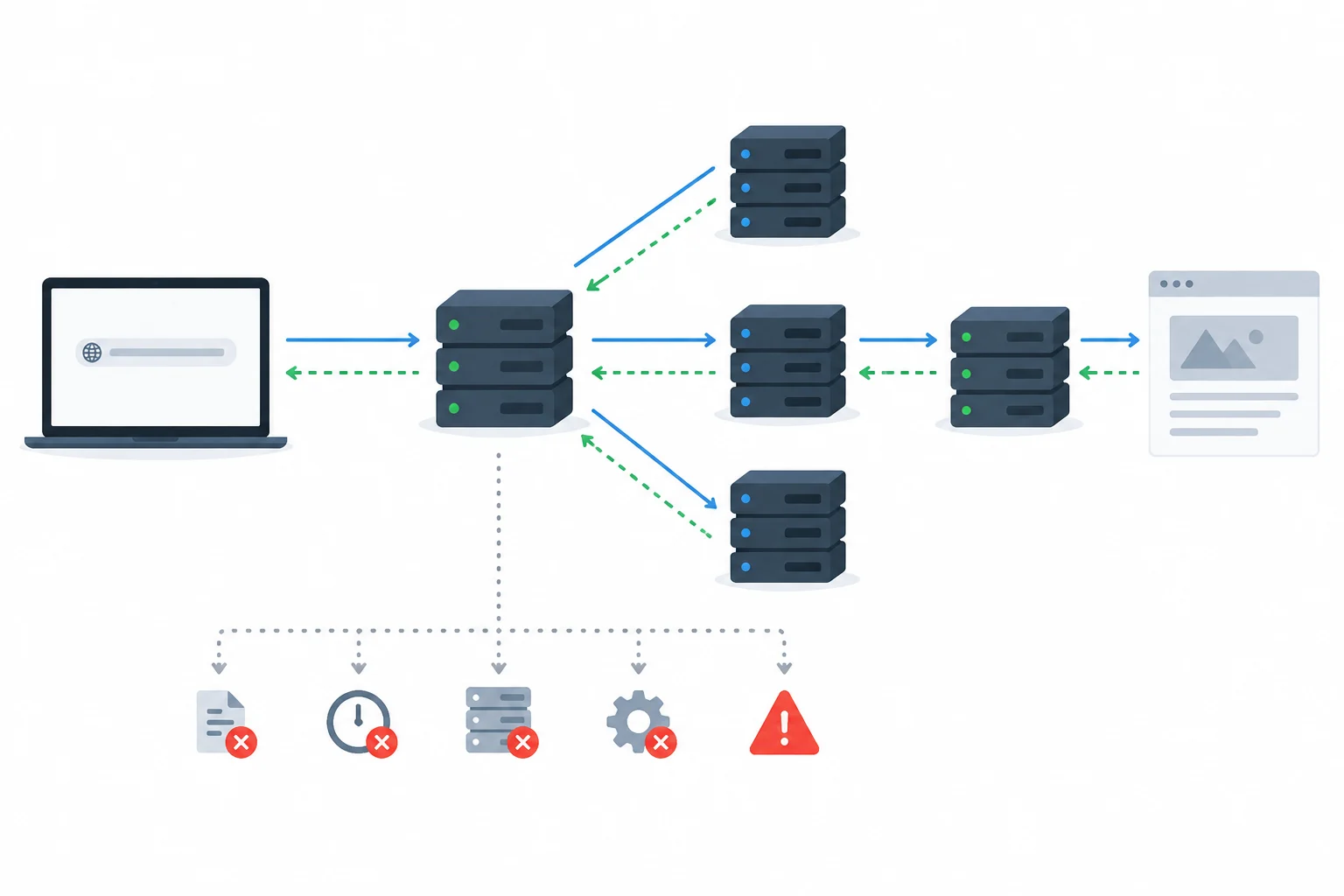
When an application needs to resolve a name, it normally requests the information from a resolution component available on the system. If the answer is already stored in a valid cache, it can be reused without repeating the external query at that moment. If it is not available, the resolver queries DNS servers to obtain an answer. The architecture includes queries and responses between clients and servers, as well as a hierarchical structure of names.
A simplified way to describe the path is: the device asks its configured resolver; the resolver looks for the answer, possibly querying other servers, and returns the result to the device. In many homes, the router acts as an intermediary or forwards queries to another resolver, but the specific configuration varies by network and system. There is no single identical path for every connection: caches, network policies, and browser configuration can change which component receives the query.
After obtaining an address, the application can try to establish a connection to the service. If loading fails at that stage, DNS may have responded correctly while the server, network route, or web application is still unavailable. Conversely, a failed resolution prevents the client from using the name to locate the destination by that route. These are related stages, but they are not interchangeable.
What is the difference between the device resolver, the router, and the provider?
The resolver is the component to which the device directs a DNS query to obtain an answer. It may be a server specified by the network or an address configured manually. The router may forward queries, provide configuration to devices, or perform additional functions; seeing it listed as the DNS server in settings does not by itself prove that it stores every answer or is their final source.
The DNS service in use may belong to the Internet provider, another public service, or an organization. The actual choice depends on system configuration and on any features involved in the application. For example, Firefox documents DNS over HTTPS as an option that can affect how the browser makes queries. As a result, a query from a system tool and browsing in a browser do not always use exactly the same route.
If you want to compare results, note which tool you use, which server you query, and which network you are on. Changing resolvers can help narrow down a difference, but it does not automatically identify who is at fault or prove that an alternative is better in every respect. The comparison is a one-off check, not a recommendation to change the network permanently.
What does a DNS error mean, and what can’t it tell you?
A resolution error means the application did not get the result it needed through the route queried. Possible causes include a misspelled name, a negative response, a resolver that does not respond, incorrect configuration, or a temporary problem between components. The exact message and when it appears matter; the generic label “DNS error” does not by itself distinguish between all these possibilities.
If only one domain fails, first check that the name is spelled correctly and see whether the problem occurs on more than one device or network. If many names fail, it becomes more relevant to investigate the local connection, resolver configuration, or available DNS service. These are clues to guide the investigation, not definitive diagnoses: a broader network failure may also prevent queries from reaching their destination, and a site may fail after the name has been resolved.
A successful nslookup result does not certify that the page is operational either. The tool can query DNS information, but by itself it does not prove that the web server accepts connections, that the route is available, or that the browser has no other problem. Likewise, a failed query from the device does not prove that the domain has disappeared: the chosen resolver or communication with it may be failing.
How can you check resolution with system tools?
In Windows, open Command Prompt or PowerShell and query a known name with nslookup example.com. The output may show the server used and the information returned. To examine a particular record type, the tool’s syntax supports record queries; Microsoft’s documentation includes examples of retrieving DNS records with nslookup. Replace the example domain with the name you are investigating, and avoid treating a single response as a complete test of the site’s status.
On macOS or Linux, nslookup may be available, although installed tools and their options depend on the distribution. If it is not available, consult the system documentation to choose an equivalent tool. Note the exact name, approximate date and time, network used, and full message. Avoid publishing private information about corporate networks or internal names.
A cautious checking sequence
- Check that the domain has no typing errors and that you are not using an old link.
- Run a DNS query for that name and see whether you get an answer, a negative response, or a timeout.
- Repeat with another domain that you know should work; compare whether the failure affects one name or several.
- If possible, compare from another connection or explicitly query another resolver using the syntax supported by the tool. Record the change rather than immediately altering the permanent configuration.
- If the query returns an address, separately test whether the website loads and whether the browser shows a different error.
When should you check the device or router, or ask for help?
If only one device fails on a network where the others can browse, start by checking its connection, DNS settings, and possible browser options such as DNS over HTTPS. If all devices on the same network have the problem, check whether the router indicates a connection and is receiving valid network configuration; then contact the provider if the failure continues. Several devices failing together points the investigation toward a shared component, but does not conclusively identify it.
If the failure occurs only with one domain, it may help to check the name with another resolver or from another network and compare the results. If the data differs, that discrepancy is a clue to investigate, not confirmation that one answer is wrong: caches, configuration, and the query context can all have an influence. For work sites or managed services, the person responsible for DNS or the service may have information unavailable from a home check.
The practical principle is to move from reversible steps to more invasive ones: confirm the name, observe general connectivity, run reproducible queries, and change one variable at a time. Do not change several settings simultaneously, share passwords, or reset the router as a first step. If the problem affects a workplace network, consult the administrator before changing settings. A test narrows down hypotheses; it does not replace reviewing the configuration and service involved.
Sources and limits of these checks
The general DNS architecture is described in RFC 1034, a technical specification covering concepts and mechanisms of the Domain Name System. Microsoft documentation provides practical guidance on name resolution in Windows and examples of using nslookup. Mozilla documents a Firefox option that can cause browser queries to follow a route different from the system’s ordinary DNS configuration.
This guide does not attribute a failure to a provider, router, browser, or site without specific information about that connection. Command instructions vary between systems, and output depends on the name queried, the resolver, and the time. The checks described are for collecting reproducible clues; they are not a DNS audit or a performance measurement.
When interpreting results, distinguish a DNS response from subsequent access to the service. If the query returns a response but the page will not load, the problem may be at another stage. If the query fails, the cause may still lie with the device, network, resolver, or domain information. More evidence than an error message is needed to locate it.