The teardown points to difficult repairs
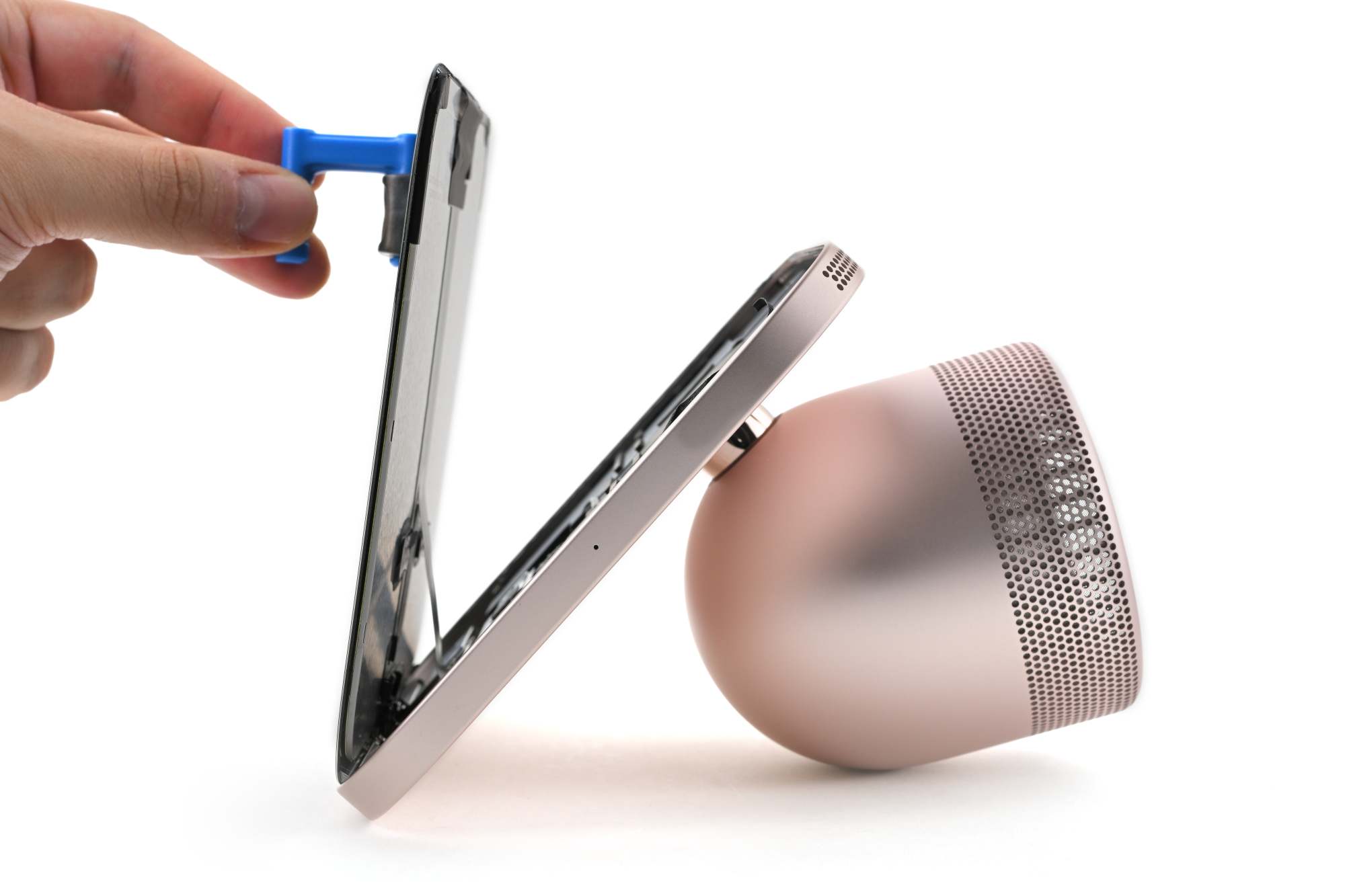
A teardown published by iFixit on November 18 found that opening the Apple HomeView can damage internal components. The challenge is not simply the number of parts: reaching the display and logic board means working through an assembly held together with adhesive, making it harder to replace modules without affecting other components.
iFixit’s teardown documents the obstacles its team encountered while disassembling the HomeView. Those findings concern access to internal components; the teardown also describes the desktop base’s modular USB-C port and replaceable passive radiators.
Adhesive complicates access to components
According to iFixit, strong adhesive holds the display panel in place, and removing it proved difficult. The speakers sit behind the display, with the logic board behind them. A thermal shield connects the board to the aluminum chassis; the thermal paste and adhesive in this area make removing the board riskier during a repair.
The teardown also found Phillips and Torx screws in different sizes, so a single tool is not enough. iFixit reported that one speaker broke during removal and that several cables run between the display and the base. These are findings from one disassembly, not a universal measure of how long or difficult every repair will be.
The wall and desktop models have different interiors
The two versions have different internal designs, and their components are not interchangeable, according to the teardown. The wall-mounted model uses a larger logic board, while the desktop version allocates more space to speakers and its pivoting stand. Parts from one version cannot be assumed to fit the other.
The difference also affects the audio setup: iFixit observed smaller speakers in the wall-mounted unit. By contrast, the desktop version has speakers integrated into its base. When identifying a part or seeking service, it is therefore useful to specify whether the device is wall-mounted or desktop rather than treating them as a single internal configuration.
The desktop base has some replaceable parts
The teardown found one favorable exception in the desktop version’s base: the USB-C port is modular and replaceable, as are the two passive radiators inside it. iFixit describes the base as easier to open than the display assembly, though that does not make access to the entire device easy.
Separating the display from the base remains difficult because cables pass through the pivot mechanism, and access requires working from the display side. iFixit also notes that a short cable connects the woofer to the base board, which can complicate reconnection during reassembly. The port’s modular design, therefore, does not remove access barriers for other components.
What this means for owners and repairs
For HomeView owners, the teardown helps explain why a display, board, or speaker fault may require more work than replacing an easily accessible module. Repairability depends on the part and the version: the USB-C port in the desktop base is a specific exception, not a description of the entire device.
Before seeking a repair, it helps to identify the configuration—wall-mounted or desktop—and describe the affected component. Avoid buying parts based only on the HomeView name, since internal differences mean compatibility cannot be assumed. iFixit’s repair guide provides device information, but service options and costs should be confirmed with the provider carrying out the work.
iFixit’s teardown describes difficult access to several components, alongside parts in the desktop base that can be replaced.