Quick overview: why use a security key today?
A security key is a physical authenticator that can use public-key credentials. The FIDO standards and WebAuthn enable this type of authentication, although the precise way it works depends on the service and device. Passkeys may be tied to a platform or synchronized through the ecosystem that manages them; they are not necessarily the same as a credential stored on an external security key. That distinction matters when deciding what to buy, because the term “passkey” does not by itself tell you where a credential is stored or how it will be available on another device.
With public-key authentication, a service uses a public key associated with a credential, while the authenticator retains and uses the corresponding private key. WebAuthn is part of the web mechanisms used to access public-key credentials. This arrangement does not remove the need to check the options and policies for each account. The service still determines which sign-in methods it accepts, and the device must be able to use the chosen method.
For that reason, a buying decision is not just about the brand: the standards and functions accepted by the service matter, as do the connections your devices can use and the recovery procedures available to you. Compatibility must be confirmed for each combination of account, device, and sign-in method. A key registered as a backup can reduce the risk of losing access, provided the service allows it to be registered and you understand that service’s recovery process. Check those conditions before you rely on the key as your only practical way back into an account.
Before you buy: check actual compatibility with your accounts
Make an inventory of your critical accounts and verify what each one accepts. Apple documents the use of third-party security keys to protect an Apple Account and requires at least two keys to be registered to enable that feature. Google documents signing in to Google Accounts with passkeys. Do not assume that the same key, connection, or mode works identically across all services: consult the provider’s help documentation for each account and device you intend to use.
Identify the devices on which you normally sign in—laptop, desktop, or mobile—and note the connections available on each. If a work service requires a particular verification method, check its requirements and ask whether the model you are considering meets them. Having the right connector alone does not guarantee compatibility: the operating system, browser, application, and service policies can all matter. Check the complete sign-in path rather than looking only at the port on the device.
If you use a password manager or access regulated services, confirm whether they accept WebAuthn or passkeys and whether they allow them as a second factor or for sign-in. Check any certification requirement before purchasing as well. It is not enough for a product to be advertised as certified if the organization requires validation for a particular module, the product itself, or a specific configuration. Establish exactly what the account or organization needs, then compare it with the relevant product documentation.
Key standards: FIDO2, WebAuthn, and CTAP2
WebAuthn is a standardized web API for authentication using public-key credentials. CTAP defines communication between the client and the authenticator; the FIDO Alliance CTAP 2.2 specification included in the research is dated October 3, 2024. That does not mean you should automatically require a particular version: first check which functions your service requires and what your devices support. A version number is useful context, but it is not a substitute for checking the actual requirements of your intended setup.
Understanding the general flow helps you assess features without getting lost in jargon. Discoverable credentials can allow sign-in without the user first entering an account name, but their availability and usefulness depend on the service and the credential configuration. Do not assume that every service accepts this mode. Check the provider’s instructions to determine whether the feature is supported for your account and how it is expected to work.
If you rely on passkeys, confirm which kind you need: a synchronized platform credential is not necessarily equivalent to a credential stored on an external key. USB and NFC may be practical options if your devices and services support those flows. In managed environments, ask whether attestation or user-verification policies apply, and confirm that the chosen model can meet them. The right choice depends on the requirements actually in force, not simply on the name of a standard or feature.
Form factors and connectivity: USB-C, USB-A, NFC, and BLE
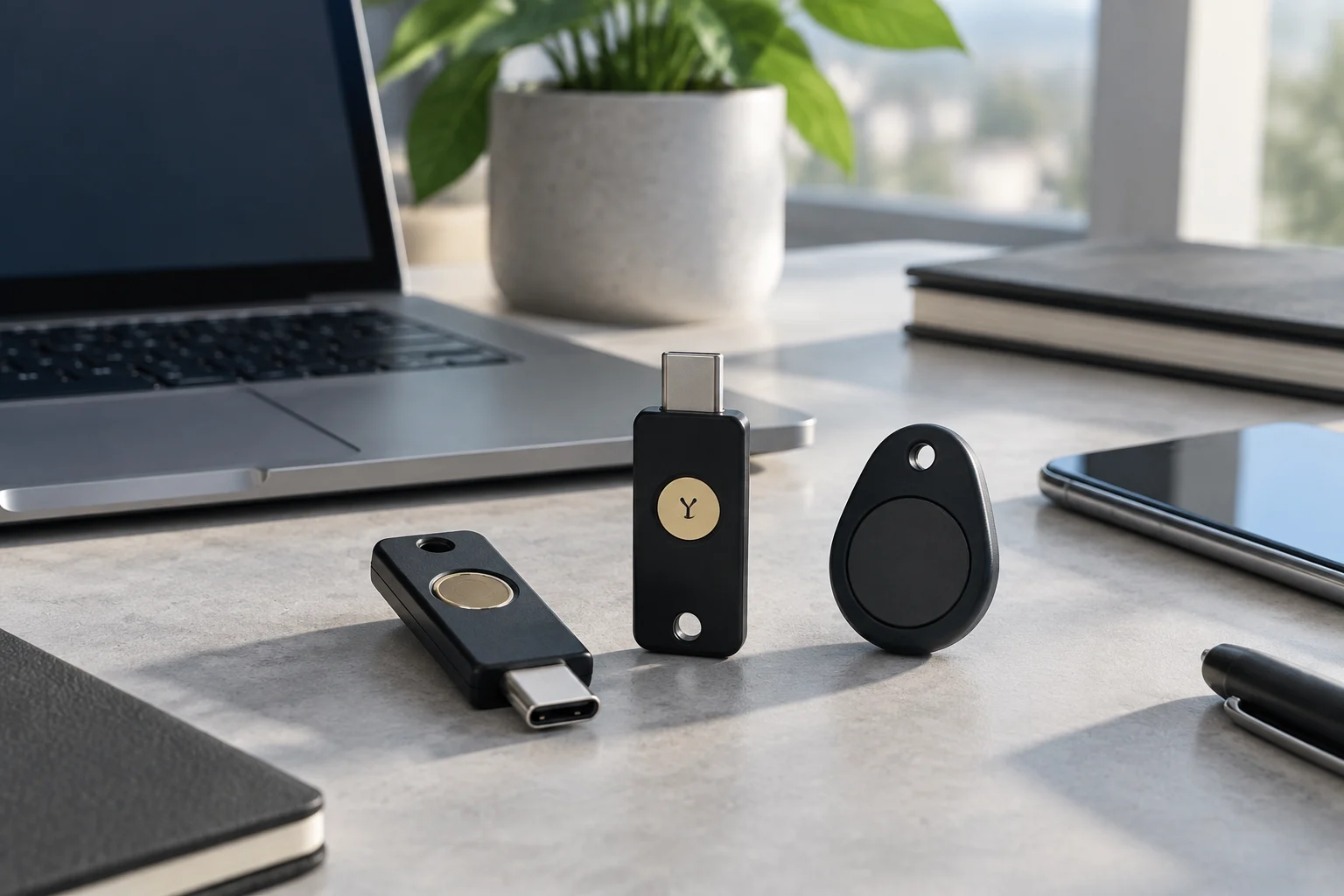
USB-C can be convenient when your devices have that port; USB-A can be useful for equipment without USB-C. Before paying, review the ports you will use and the specifications of the model. Adapters can bridge connection differences, but they add another item to carry and look after. Size is a practical consideration too: the right form factor depends on how you plan to carry and use the key. Think about where it will be kept and how often it needs to be connected.
NFC allows a compatible key to be used by bringing it close to a mobile device, but compatibility depends on the key, phone, operating system, application or browser, and service. Check the exact combination in the provider’s documentation before counting on NFC as your only way to sign in. Also consider how you will store and carry the key to reduce the chance of losing or damaging it. A connection that appears convenient on paper is only useful if the complete setup supports it.
Do not choose BLE, biometrics, or a local verification method solely because they appear in a product description. Check, model by model, which functions are offered and whether they match the service’s requirements. Pairing, battery needs, or software support may impose additional conditions; without device- and service-specific documentation, it is not prudent to recommend them as general requirements. Treat each feature as something to verify for your own setup, rather than assuming it is universally available or necessary.

Security and certifications: what to check
Certifications do not replace authentication standards, but they can document how a component was evaluated. NIST’s CMVP validates cryptographic modules against applicable requirements. Common Criteria provides an evaluation framework with defined requirements and assurance levels for the product being evaluated. Neither term should be interpreted as a general guarantee that a complete device is suitable for every environment. The evaluation’s scope is essential to understanding what a certification does—and does not—cover.
When comparing products, focus on the certification’s scope and whether it applies to the configuration that will actually be used. For FIPS validation, review the module and the relevant validation entry. For Common Criteria, check the certificate, security target, and applicable profile. An EAL level on its own is not enough to decide that a product is the best choice for every use. Compare the stated evaluation with the requirements of the environment in which the key will be deployed.
For personal or small-business use, prioritize documented compatibility, clear support information, and a workable replacement and recovery procedure. In regulated sectors, ask the responsible organization for the exact certificate reference it requires and cross-check it against official records. Cryptographic evaluation and phishing resistance are different questions: protection also depends on the protocol, configuration, and service that accepts the key. A certificate should therefore be considered alongside the sign-in flow and the organization’s actual requirements, rather than as a stand-alone purchasing shortcut.
Capacity and features: discoverable credentials, PINs, and policies
Discoverable credentials can allow sign-in without first typing the account name, but their availability and capacity depend on the key and the service. Before buying, confirm that the account supports this mode and consult the manufacturer’s documentation for the model’s features and limits. Do not assume that all keys can store the same number of credentials. If the storage limit matters for your use, look for information about the specific model rather than inferring it from the product category.
A PIN can be part of local user verification if the key and service support it. It is not the account password and does not replace recovery procedures. Follow the manufacturer’s instructions to set it up and store it securely. In a work environment, confirm which verification methods are permitted and which are required by policy. A feature that is available on a device may still be disallowed or configured differently under an organization’s rules.
On managed devices, check that the operating system, browser, and identity provider support the necessary options, including attestation or user-verification policies. Combinations of versions and configurations can behave differently. A pilot using the relevant accounts and equipment can reveal incompatibilities before a purchase is rolled out; this is an operational recommendation, not a guarantee of future behavior. Record what was tested and confirm that the setup continues to meet the organization’s requirements as devices and software change.
A responsible backup plan: additional keys and recovery
To reduce the risk of lockout, register a backup key on accounts that allow it and keep it separate from the primary key. Apple requires at least two keys to activate Apple Account protection with security keys. For other services, check their own registration and recovery rules. Do not assume that a synchronized passkey replaces an external backup key: they are different options, and their availability depends on the ecosystem and service. Decide in advance where the backup will be kept and who may need access to it.
The total cost may include more than one key, adapters, and replacements. As a practical measure, periodically check that your registered keys are still available and that you know how to revoke a lost one and register another. Do not carry out tests that could cause a lockout without first understanding each account’s recovery rules. A backup is useful only if it remains accessible and the relevant recovery steps are known before an incident occurs.
Document an emergency procedure: how to recover the account, how to revoke a lost credential, and who should be involved for a work account. In an organization, coordinate these instructions with account-management and continuity policies. Keep recovery codes and other secrets separate from the key and protect them appropriately. The practical conclusion is straightforward: verify compatibility first, register a backup wherever possible, and understand the recovery process before relying on the key. A little preparation makes the backup plan part of the deployment rather than something improvised after access has already been lost.