Start with what you need the devices to do
Before choosing smart-home devices, decide what you want them to do and distinguish essential functions from features that would simply be convenient. Define the useful outcome first so you can compare products according to the task they need to handle and the capabilities they offer.
For every priority function, consider what you expect to happen if the internet connection, router or remote service fails. Local connection and remote control are different things; check which one you need for everyday use and what the model’s documentation says about how it operates.
Before buying, make a list of the devices and components you plan to keep, including their model numbers and versions. Check whether the product you are considering is compatible with that setup and whether you would need an extra accessory or control hub.
Check interoperability by model and function
Matter is a smart-home connectivity standard developed by the Connectivity Standards Alliance. The organization describes it as a shared foundation for communication among compatible devices and systems, built on IP-based networking technologies. The Alliance says Matter is intended to increase compatibility and enable devices from multiple brands to work together.
Make the practical check for the exact product, not just the brand. Search for the model in the Alliance’s certified-products directory, then compare the result with the manufacturer’s product information and the documentation for the platform you plan to use. The Alliance explains that certified products are assessed against a specification; certification does not establish retail availability or technical support, and it does not replace checking specific functions.
Check which device categories each integration supports, what is required for setup and which capabilities are available in the app you have chosen. Before paying, look for explicit confirmation of the model, platform and function you need; a general mention of Matter or Wi‑Fi is not enough to settle the comparison.
A comparison table of your own can help distinguish basic compatibility from equivalent functionality:
| Check | What to confirm | Why it matters |
|---|---|---|
| Model | Full identifier and regional variant | Avoids assuming compatibility carries over between versions |
| Function | Required controls, sensors, automations and status information | A basic connection does not guarantee every capability |
| Platform | Compatible app, hub and software version | Additional setup requirements may apply |
| Certification | Match in the official directory | Checks the standard, not product availability |
Look beyond the privacy label
Before installation, find out what information the device collects, why it uses it and who can access it. Read the product and service privacy policy and review the data-management options described for the model you are considering.
Also check where you manage settings such as retention, deletion, access for other users and notifications. If the system offers local and remote storage, compare what is kept in each place and whether a subscription changes the available features or retention period. Do not assume that a device certified to a connectivity standard therefore follows a particular data policy: interoperability and privacy are separate assessments.
For security, look for product-specific information about authentication, encryption and updates, as well as a channel for reporting vulnerabilities. ENISA’s guidance on procurement in the healthcare sector addresses cybersecurity at the planning, selection and purchasing-management stages for healthcare organizations.
Separate local functions from cloud services
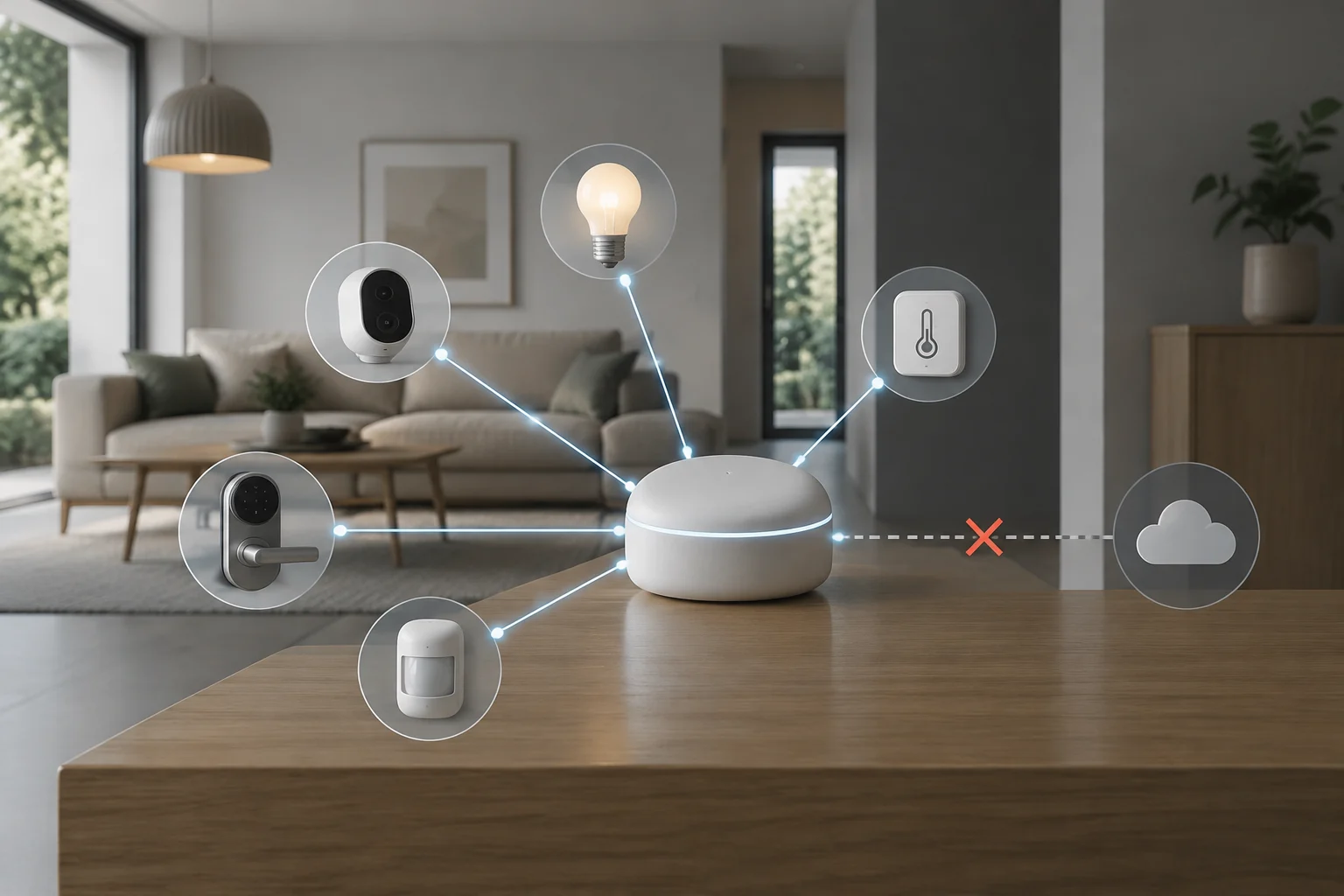
Make a list of what you want to check if the outside connection is interrupted: does the sensor communicate with the hub, do automations run inside the home, and can you control the equipment over the local network? Check each specific function in the manufacturer’s technical documentation or frequently asked questions.
Distinguish an outage of the manufacturer’s service from a fault in your home internet connection. If a function is important—such as a security alert—check how it is accessed and whether the product provides an alternative. Also check whether that alternative requires another device, a battery or a connection.
Matter is built on IP-based networking technologies, and the Connectivity Standards Alliance describes it as supporting consistent local connectivity. To assess a product’s behavior, check the manufacturer’s documentation for the exact function you need and the conditions under which it operates. For example, find out whether that function works over your home network and what components it requires.
Assess updates, support and end of life
Before buying, check how the manufacturer communicates updates, whether it states how long support will last and which channel it provides for security notices. Review the update and support arrangements for the device you are considering.
Check which features would stop working if an app, account or cloud service became unavailable. You can also find out whether the device supports local controls or use with another platform, and what options exist for managing stored data.
A shared standard can support communication between compatible systems, but app-specific scenes, history, permissions and settings may need separate attention. Check what can be retained and what must be set up again before changing platforms or brands.
Calculate the total cost and your way out
Compare the device price with the expenses needed for it to do its job, such as hubs, extra sensors, batteries, installation or a subscription. Total cost includes recurring services, if any, as well as the purchase price.
To assess dependence, check whether you can export settings or logs, reuse the device on another platform and delete the account without losing local control. The Alliance’s certification directory lets you search for certified products, but it is not a price catalogue or a guarantee of technical support.
Before deciding, compare these points in writing for the model you have chosen:
- Priority function and behavior without internet access.
- Compatibility of the model and its functions with your platform and hub.
- Data collected, storage options and deletion controls.
- Account, subscription and remote-access requirements.
- Update policy, support and end-of-life arrangements.
- Required accessories and options for migrating or reusing the equipment.
If an answer would change your decision—for example, if an essential automation requires the cloud—resolve it before buying. If the manufacturer does not clarify an important issue, treat that uncertainty as a purchasing risk and consider an alternative whose requirements are better documented.