
What Mobile Privacy Means and How It Differs from Security
Mobile privacy is the control over how personal information linked to the phone and its applications is collected, used, and shared. It does not mean all data must be secret; rather, it implies the ability to understand what information is processed, by whom, and for what purpose. This can include obvious data, such as photos or location, as well as less obvious traces, like timestamps or interaction patterns.
Privacy and security are related but address different problems. Security protects against unauthorized access, while privacy concerns the conditions and purposes for which data is collected and used. A robust lock can prevent someone from opening the phone without permission, but it does not determine what information an app sends to its servers when the user is using it.
Therefore, it is useful to distinguish between device protection and data processing management. An app might legitimately access a feature the user authorized and still process information in a way that warrants review. System permissions control specific technical accesses; they are not a complete description of all data an app might generate, collect, or transmit.
A practical way to assess privacy is to ask: what data is collected, for what purpose, for how long, and with whom it is shared. Phone settings help answer part of these questions, while developer and store information provides context about the processing. No single screen necessarily offers an exhaustive description of the entire data journey.
Permissions: What They Control and What They Leave Out
Operating system permissions are authorizations for an app to access specific device functions or data, such as location, camera, or microphone. In Android, official information describes options to grant access continuously, only once, or deny it, along with centralized tools to review permissions. A permission limits a specific access; it does not certify that the app is privacy-respecting in all other aspects.
Android also offers a Privacy Dashboard that shows which apps accessed the camera, microphone, and location during the last 24 hours, according to the system's official description. The Permissions Manager allows reviewing authorizations by data type, and Android indicates that it can reset permissions for apps that have not been used for a while. These controls help detect accesses and adjust authorizations, but they do not constitute a universal record of all data transmissions.
The difference between allowing a function and accepting broader processing is important. Granting location access may be necessary to display a route; it does not, by itself, allow deducing whether the data is stored, combined with others, or shared with third parties. For that part, one must consult the app's privacy information and consider that statements depend on what its developer has communicated.
The table summarizes the scope of available evidence. It is not an exhaustive comparison of Android and iOS: the source package confirms Android features but does not provide official Apple documentation to describe or contrast its controls with the same level of detail.
| Aspect | Android | iOS |
|---|---|---|
| Review of sensitive accesses | The Privacy Dashboard allows checking camera, microphone, and location accesses in the last 24 hours. | Available evidence does not allow specifying the equivalent functionality here. |
| Permission management | The system offers a Permissions Manager and granting options for certain accesses, including location. | Available evidence does not allow describing its options in a verifiable way. |
| What the store reveals | Google Play includes a Data Safety section based on developer statements. | There is not enough evidence in this package to describe App Store transparency. |
| Common interpretation limit | A system permission does not, by itself, explain all data uses, storage, or transfers. | Available data does not allow asserting specific functionality here. |
What App Stores and Data Statements Contribute
App stores add a layer of information distinct from system permissions. Google Play asks developers to complete the App Content section, including information about the privacy policy and the intended use of sensitive or high-risk permissions, such as those related to SMS or calls. This is information declared by the developer, not an independent observation of each operation the app performs.
Google also indicates that app information must be reviewed and kept up to date. The Data Safety section of Google Play serves to communicate processing practices, but it should not be confused with the phone's permissions panel: one offers statements about data practices; the other helps review accesses granted by the system. They are complementary tools, not interchangeable.
To evaluate an app, it is advisable to compare what it requests with the function it performs and read the explanation of its data practices. For example, an app requesting location may be consistent with a maps function; if that location is also collected when the function is not in use or shared with third parties, that is another matter. The store listing and privacy policy can guide, but they do not replace a technical audit nor guarantee by themselves that every statement is complete.
The evidence gathered documents Google Play's requirements and tools, but does not allow describing App Store's current policies with equivalent precision. Therefore, no specific forms, obligations, or mechanisms are attributed to Apple in this guide. For the user, the useful rule is to separate the technical permission from the declared information about processing and consult the appropriate source for each doubt.
Regulations and Practical Recommendations in Spain
The processing of personal data by apps may be subject to applicable data protection regulations, depending on who processes the information, for what purpose, and in what context. This guide does not offer legal advice nor allows concluding that an app complies with or violates a specific obligation. The available evidence does not include the text of the GDPR or LOPDGDD, so it does not detail articles, legal bases, or specific rights as if they were verified in this package.
The Spanish Data Protection Agency (AEPD) does recommend practical measures to protect device privacy: keeping them updated and making unwanted access difficult through robust keys and adequate locking. Updates and locking protect the device against access risks; they do not replace reviewing what data apps process or their processing conditions.
In practice, a person can combine technical controls with reading developer information. If an app collects data that seems unnecessary for its function, the corresponding permission can be denied when the system allows it, an alternative can be sought, or the privacy policy can be consulted. The decision must consider that removing a permission can also limit legitimate app functions.
The utility of these measures lies in reducing avoidable exposure and improving the ability to decide, not in promising total privacy. A strong password does not, by itself, prevent an authorized app from sending data to a remote service; a privacy policy, for its part, does not prevent physical access to an unlocked phone. The measures cover different risks and must be interpreted together.
Limits: Data Sent to Services and Cloud
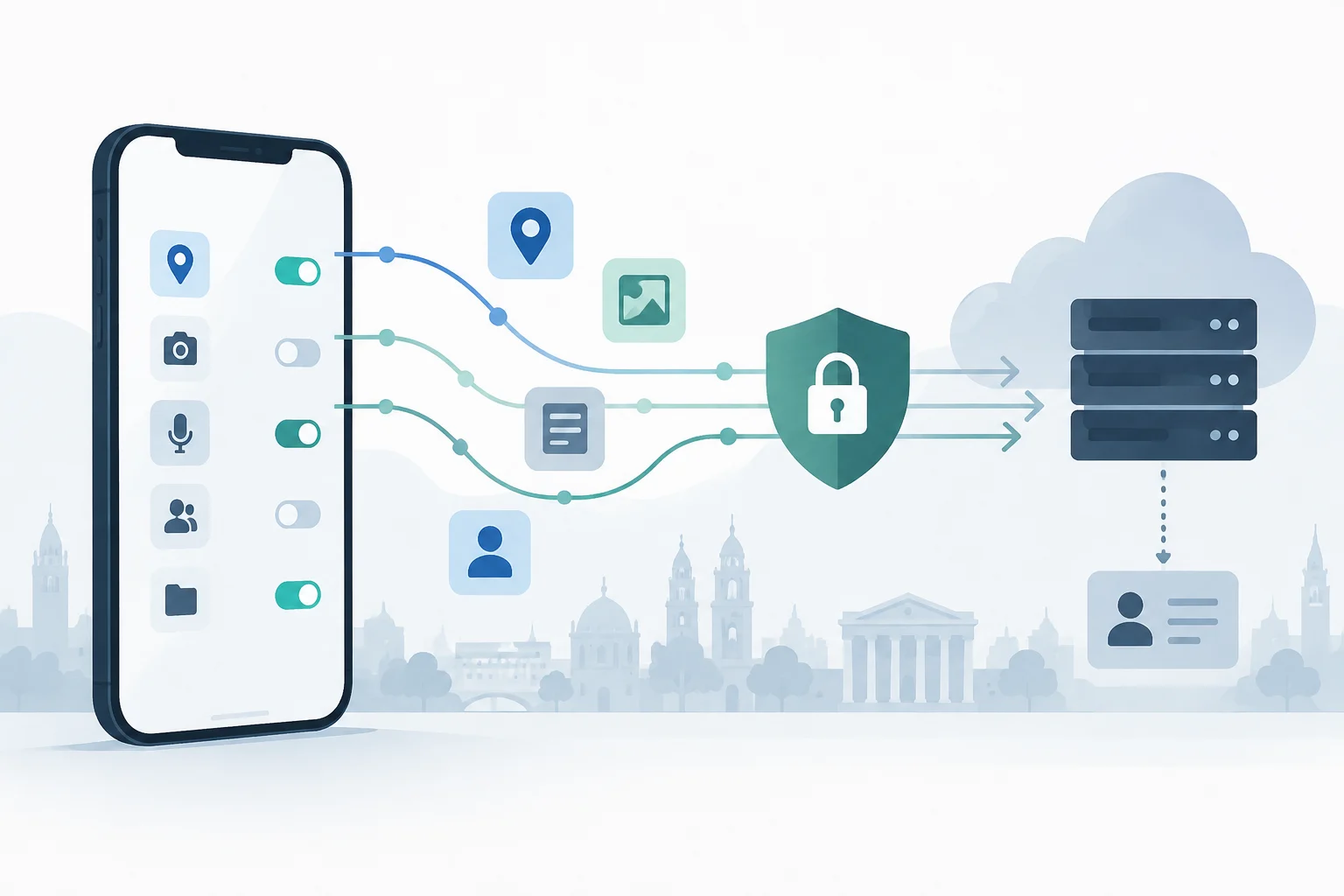
Permissions regulate operating system accesses but do not describe the entire data flow between an app, its servers, and other services. An app can create information from use—for example, activity logs—and transmit it as part of its functioning. To know what happens after granting a permission, one must consult developer statements and keep in mind that information available in a store is a statement, not a complete inspection of traffic.
When data is synchronized with a remote service, its processing is also conditioned by the service and accounts involved. Local phone control does not equate to controlling storage, access, or transfers on external servers. Revoking a permission does not automatically delete data already sent nor necessarily remove an account or a copy stored in the cloud; those actions require controls from the corresponding service.
Encryption should also not be understood as synonymous with comprehensive privacy. It can protect information against certain accesses, but it does not, by itself, answer questions like what metadata is generated, who controls the keys, or what processing the provider applies once it receives data. The sources in this package do not document encryption guarantees of specific services, so it is not possible to assert here that a specific product encrypts or not data in the cloud.
The prudent conclusion is that mobile privacy is distributed among several layers: the device, the app, the store, the account, and remote services. Each layer has its own controls and limits. Reviewing only permissions can detect sensitive accesses, but it is not enough to reconstruct the entire journey of information.
How to Review Permissions and Decide What to Change
A periodic review can start with location, camera, and microphone permissions, which Android allows checking through its privacy tools. For each app, it is advisable to ask if the function needs that access, if it should be available always or only during use, and if the system offers a less broad alternative. Revoking the unnecessary reduces accesses, although some functions may stop operating as expected.
Next, it is useful to review the data statements in the Google Play listing and the linked privacy policy. One must distinguish between what the app needs on the phone and what the developer declares to collect or share. If the information is ambiguous, incomplete, or does not match the apparent function, that uncertainty can be a practical reason to limit use, seek clarifications, or choose another app.
The AEPD recommends keeping the system updated and protecting device access with robust keys. These measures reduce local exposure risks and should be incorporated into the review along with permission management. The guideline does not require auditing everything daily: it is more useful to repeat the check after installing relevant apps, changing settings, or stopping using an app for a prolonged period.
A brief list for the next review:
- Check recent accesses and sensitive permissions in system settings.
- Remove authorizations that are not necessary for the function used.
- Review Data Safety information and the developer's policy in Google Play.
- Consult account or cloud controls if you want to delete or stop synchronizing data already sent.
- Keep the phone updated and protect it with a robust lock.
The goal is not to achieve an absolute guarantee, but to make informed decisions: accept a permission when it provides a clear function, restrict it when not needed, and recognize when the answer depends on remote processing and not on phone settings.