
From the address you enter to an IP address
When you enter a web address, the browser separates its components: the scheme (for example, HTTPS), the host name, the path and, if present, additional parameters. To contact the server, it needs to know a network address associated with that name. This is where the Domain Name System, or DNS, comes in: a distributed system of names and records, not a directory that necessarily contains one permanent address for every site.
The browser or operating system may have temporarily stored answers. If there is no valid answer in the cache, the device asks a resolver, which may be provided by the Internet service provider, a corporate network or the user. The resolver obtains the answer through the DNS hierarchy, which includes servers authoritative for different parts of the namespace. The DNS mechanism and records are part of the DNS specification; results depend on the name queried and the domain’s configuration.
The practical consequence matters: resolving a name is not the same as loading a page. A successful DNS answer only allows the process to continue towards an IP address. It does not confirm that the server is available, accepts connections, presents a valid certificate or that the application will respond correctly. There may also be several addresses, or addresses may change over time, so a single query does not necessarily describe what every user sees. In other words, DNS handles one specific part of the journey: it provides information for an attempt to reach the destination, but does not check the stages that follow. If the browser displays no content, knowing that DNS returned an answer helps narrow down the investigation, although it does not rule out a connection or application problem. The result is useful evidence about name resolution, but it should not be treated as proof that the rest of the journey is working.
TCP or QUIC: how the exchange begins
Once it has an address, the client must exchange data with the destination using a transport protocol. With HTTP/1.1 and HTTP/2 over TLS, a common route uses TCP: the client and server establish a logical connection before exchanging a stream of bytes. TCP provides ordered delivery and retransmission mechanisms, but the existence of a TCP route does not by itself prove that the web service will answer.
HTTP/3 uses QUIC, which runs over UDP and provides reliable, secure transport for HTTP/3. It is therefore misleading to say that every page begins with a TCP connection. The browser and server negotiate which protocol they can use; the result can vary with compatibility, configuration and network conditions. From the user’s perspective, these differences are often invisible, even though they affect how the exchange is organised.
When something goes wrong, separating the stages helps avoid jumping to conclusions. A DNS response containing an IP address does not mean the service port responds. And a failed TCP or QUIC attempt does not, by itself, identify the cause: there may be a local interruption, a network rule, a routing problem or a server that is not accepting requests. Tools show observations from a particular point, not a complete explanation of what is happening between the device and the site. When comparing results, it is therefore useful to note which device and network were used for each test. A connection that works on one network and fails on another provides a useful difference to investigate, but it does not automatically establish which component is responsible.
TLS and what the padlock does—and does not—mean
For HTTPS connections, TLS protects the exchange between the client and server. The protocol allows security parameters to be negotiated and keys to be established to protect data against reading or modification in transit. The browser also checks the site’s identity against the requested name and the certificate chain it receives. TLS 1.3 is specified in RFC 8446; TLS 1.2 is documented in RFC 5246.
The browser’s security indicator should be interpreted precisely: it means that the connection meets certain browser checks, not that the site is honest, its content is correct or the device is free of malware. HTTPS protects the connection to the site identified by the certificate; it does not make that site’s editorial, commercial or security decisions trustworthy. Nor does it prevent the server itself from reading the data it receives.
If the browser displays a certificate warning, do not ignore it or routinely bypass it. Check that the address is typed correctly and that the device’s date and time are reasonable. On managed networks, a sign-in portal or corporate policy may affect browsing, but the warning is still a signal worth taking seriously. Do not enter passwords or payment details until you understand why it appeared. The warning does not always explain the underlying cause by itself, but it does indicate that the browser could not complete an identity check under its controls. Consider it a reason to pause and investigate rather than as a diagnosis of a particular fault.
HTTP requests resources; a page is not one single file
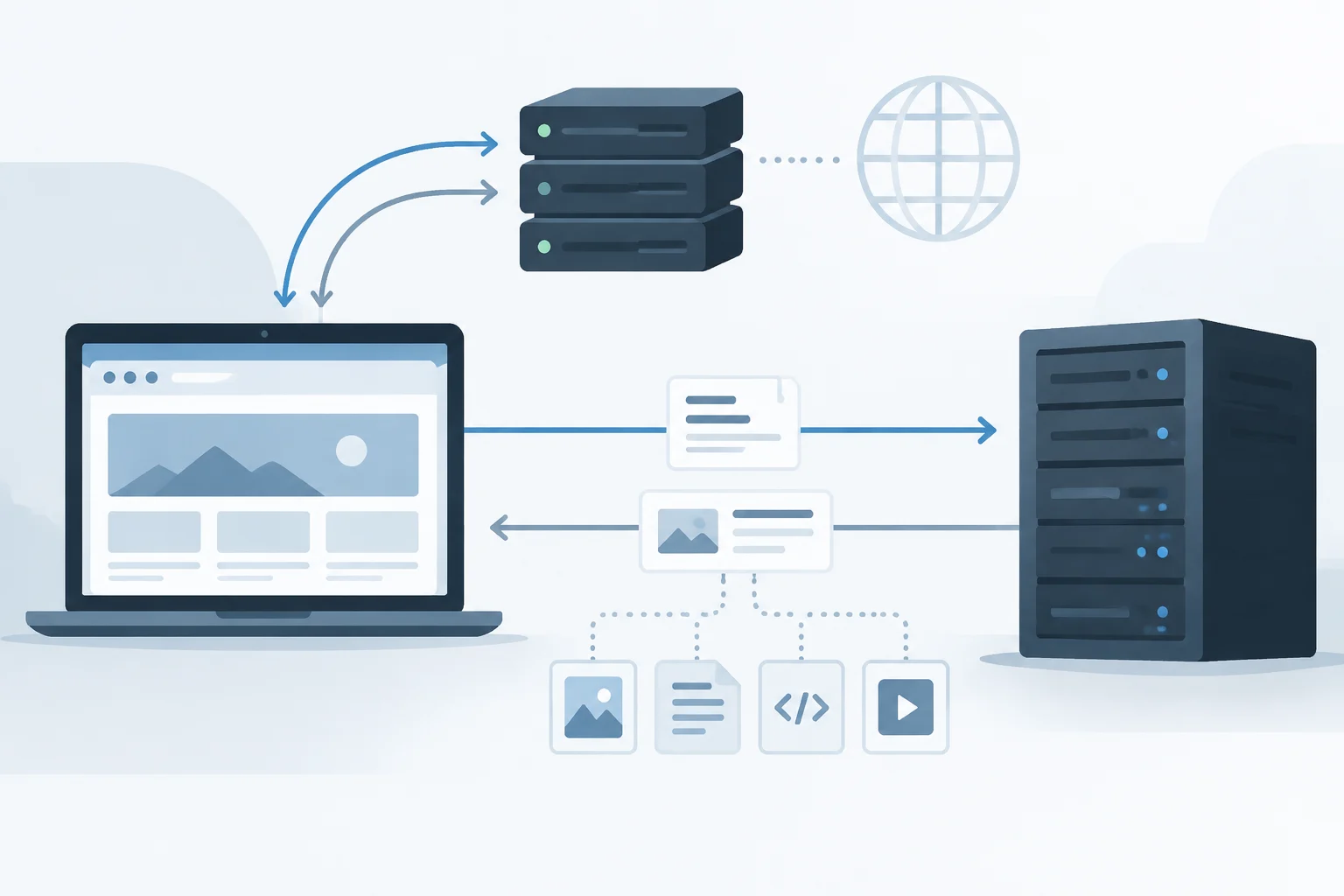
After establishing the necessary channel, the browser sends an HTTP request. A request contains a method, a path and header fields; the server returns a response with a status code, headers and, often, a body. HTTP describes the semantics of requests and responses, but does not guarantee that the server is available or that the content is useful. A response code is a clue about the outcome of one particular request, not a universal diagnosis of the site.
The first response may be an HTML document that refers to style sheets, images, fonts, scripts and other resources. The browser processes the document and may make further requests, including to other host names. This is why a page that is partly visible does not imply that all its dependencies have downloaded. An image that fails to appear, for example, may have failed even though the main document arrived successfully.
The reverse can also happen: the server returns a response, but the browser does not display a usable page. The content may depend on scripts, data from an API or resources that are blocked. Therefore, “the site responds” and “the page works” are not equivalent statements. The HTTP protocol standardises the exchange; the final behaviour also depends on the application, the browser and the resources the page needs. It is therefore helpful to distinguish receiving the main document from completing the chain of requests needed to display it as the user expects. A response to one request tells you about that request; it does not necessarily summarise the status of all the other requests associated with the page.
Initial troubleshooting: identify the stage that fails
Start by identifying the scope of the problem: does one site fail, several sites or just one application? Does it happen on one device or on every device on the same network? Try loading the correct address again and, if safe, compare the same page on another network. These comparisons do not prove the cause, but can help distinguish a possibly local failure from one that appears to affect a broader service or route.
Treat the browser’s message as an indication, not a verdict. A name-resolution error points towards investigating DNS; a timeout can occur at several stages; an explicit certificate warning points towards TLS or identity validation; and an HTTP error status shows that an HTTP response was received, although the cause is not necessarily on the device. The exact wording and its interpretation vary between browsers.
A cautious sequence of checks might be:
- Confirm the site name and try a normal reload, without repeating it indefinitely.
- Check whether other sites work and whether the problem affects other devices on the same network.
- If a certificate warning appears, do not bypass it to continue.
- If only one page resource fails, distinguish that failure from the response to the main document.
- If the problem persists, note the message and the time so you can report them to the network administrator or the affected service.
These checks are best understood as a way to organise observations, not as a sequence that guarantees finding the cause. For example, if other sites load, connectivity is not failing in the same way for every destination, but that does not explain why this particular site is not working. Recording the exact message avoids relying on an approximate recollection and makes it easier to compare what happened if the problem occurs again. When reporting an issue, keeping the observations separate from your interpretation also helps others investigate without assuming a cause that has not been established.
Simple tools and the limits of their results
A DNS query can show the answer a resolver provides for a name at a particular moment. Comparing resolvers or networks can reveal differences, but does not automatically prove that one is wrong: answers may vary because of caching, configuration or service distribution. DNS standards describe how names and records are represented and queried; a single query does not reconstruct the entire chain of decisions that led to the result.
Connection tools can test whether a destination responds from the device and network being used. A successful result does not verify every possible route or confirm that HTTPS, the application or each resource works. A failed result does not prove that the server is down either: filters, firewalls, routes and policies may prevent the test. To interpret a measurement, you need to know which protocol and destination it checked. Keep the conclusion at the level of what was measured—for example, that one particular attempt received no response from that point—not that no user can access the service.
Browser tools let you inspect HTTP requests and responses, pending resources and certificate errors. They are useful for finding out whether the main document or a particular dependency is failing, but the view depends on the session, browser settings and time of capture. Sound diagnosis means combining signals and limiting each conclusion to what its evidence shows, rather than treating a command or message as definitive proof. This guide is intended as a starting point: without observing the affected device, network and service, it is not possible to attribute a specific outage. Careful interpretation can reduce the possibilities worth investigating, but a single measurement remains only a partial observation of the journey.